The Free CRM Built for Jewish Matchmakers
Track every single, remember every detail, and send smarter matches — all in one private workspace. Import your shidduch resumes in seconds with AI. Start with an active community of Jewish singles already on the platform — plus your own private database that only you can see.
Import Your Database in Minutes
Upload your Excel spreadsheet or drop in shidduch resumes - our AI parses everything into structured profiles automatically. No retyping. Your entire database, ready to search and manage.
Built-In Community + Private Database
JMeetups is an active Jewish singles community with thousands of members. Search the community and manage your own private contacts in one place. Your imported contacts stay completely private - they never appear on the public site.
Always Free
JMeetups is a non-profit. No tiers, no trials, no upsells. Matchmakers work for the community - so do we.
Private by Design
Your singles, notes, and contacts are visible only to you. Not to other matchmakers. Not even to JMeetups staff. Enforced in code, tested every release.
The JMeetups Matchmaker CRM is a private workspace for Jewish matchmakers inside a Jewish dating platform. Add the singles you work with, track every conversation and date, send proposed matches, and manage your shidduch work from anywhere.
Most CRMs are built for salespeople. This one is built for Jewish matchmakers - with match stages, pairing tracking, profile sharing, private notes, and tags that fit how you actually work. Everything you do stays private to you unless you choose to share.
Your CRM gives you two sources of singles in one workspace. First, the JMeetups community - hundreds of Jewish singles already on the platform, browsable and searchable with AI. Second, your own private database - contacts you import from Excel, parse from resumes, or add by hand. These private contacts are visible only to you. They never appear on the public JMeetups site, and no other matchmaker or staff member can see them. Search across both pools at once, or filter to just your own.
Every Tool a Matchmaker Needs
Instant Profile Import with AI Resume Parser
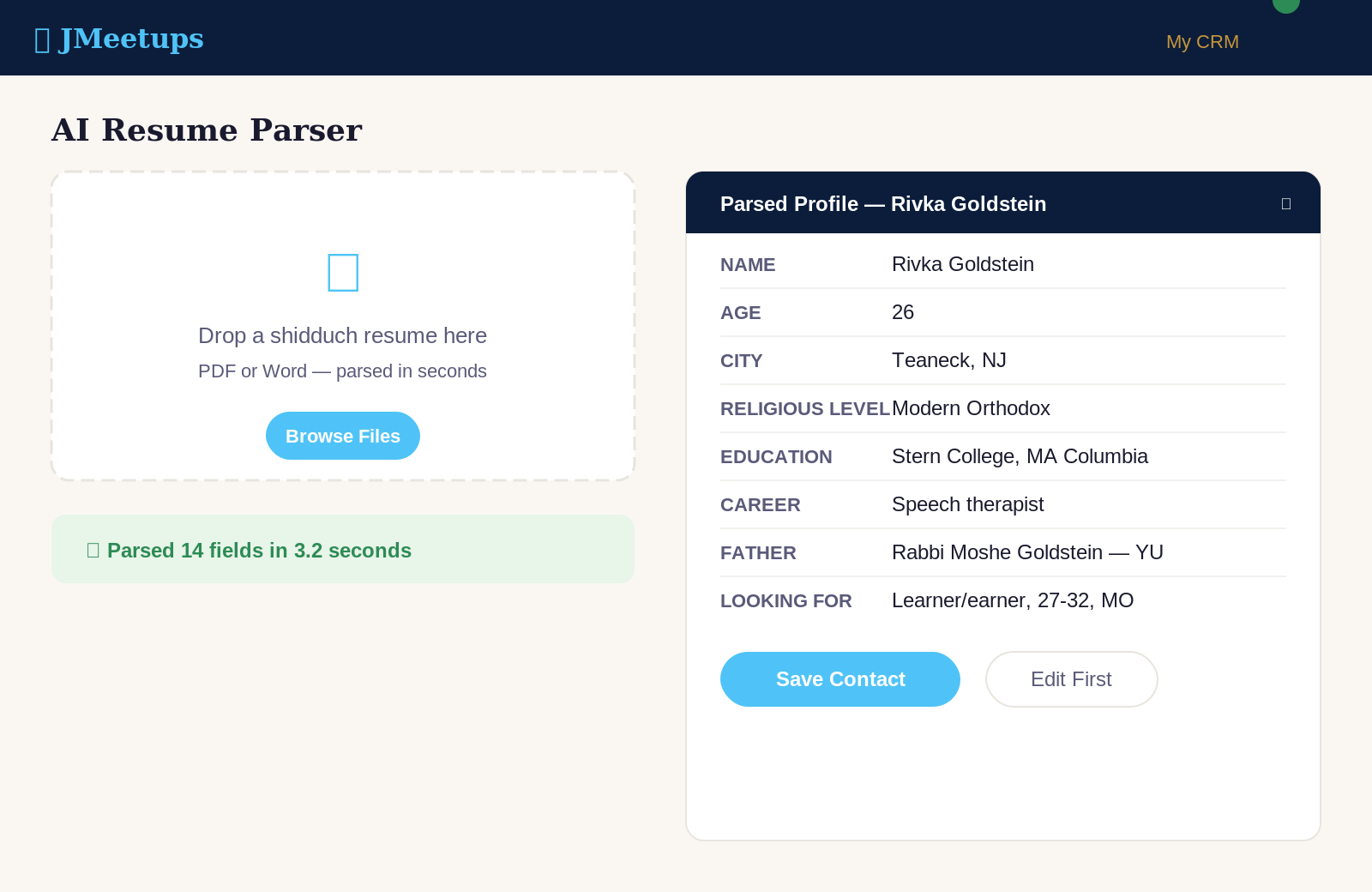
Parents email shidduch resumes constantly. Until now, that meant typing it all into a system by hand. Our AI Resume Parser reads a shidduch resume (PDF or Word) and auto-fills a new profile in seconds — name, age, school, family info, references, preferences. Review, adjust, save. Done in under a minute.
Excel Import for Your Existing Database
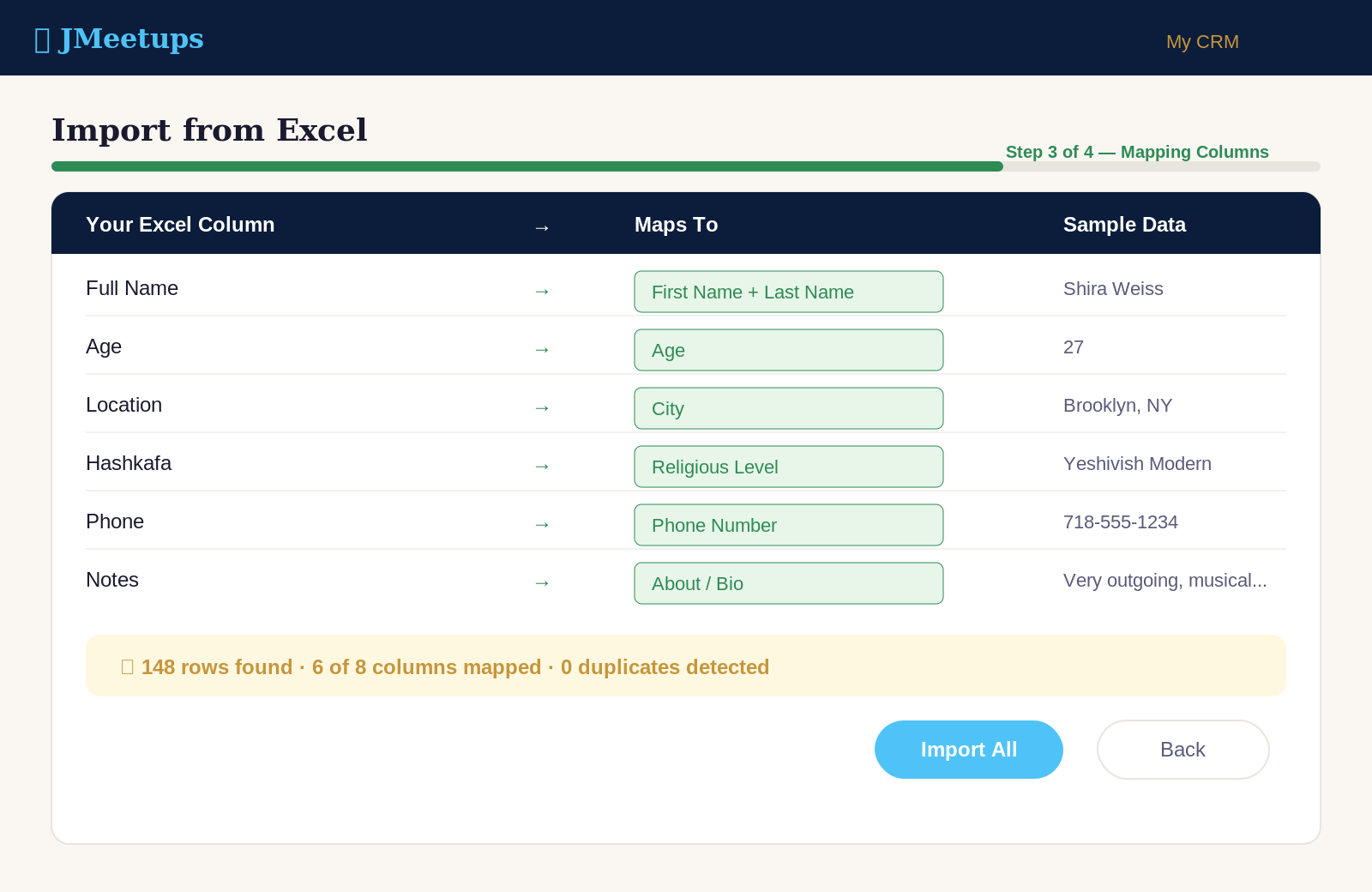
Already tracking singles in Excel? Upload your spreadsheet and we'll map your columns to JMeetups fields automatically. All your history, in one place, in minutes. Re-import updates later without creating duplicates.
Tag & Organize Your Singles
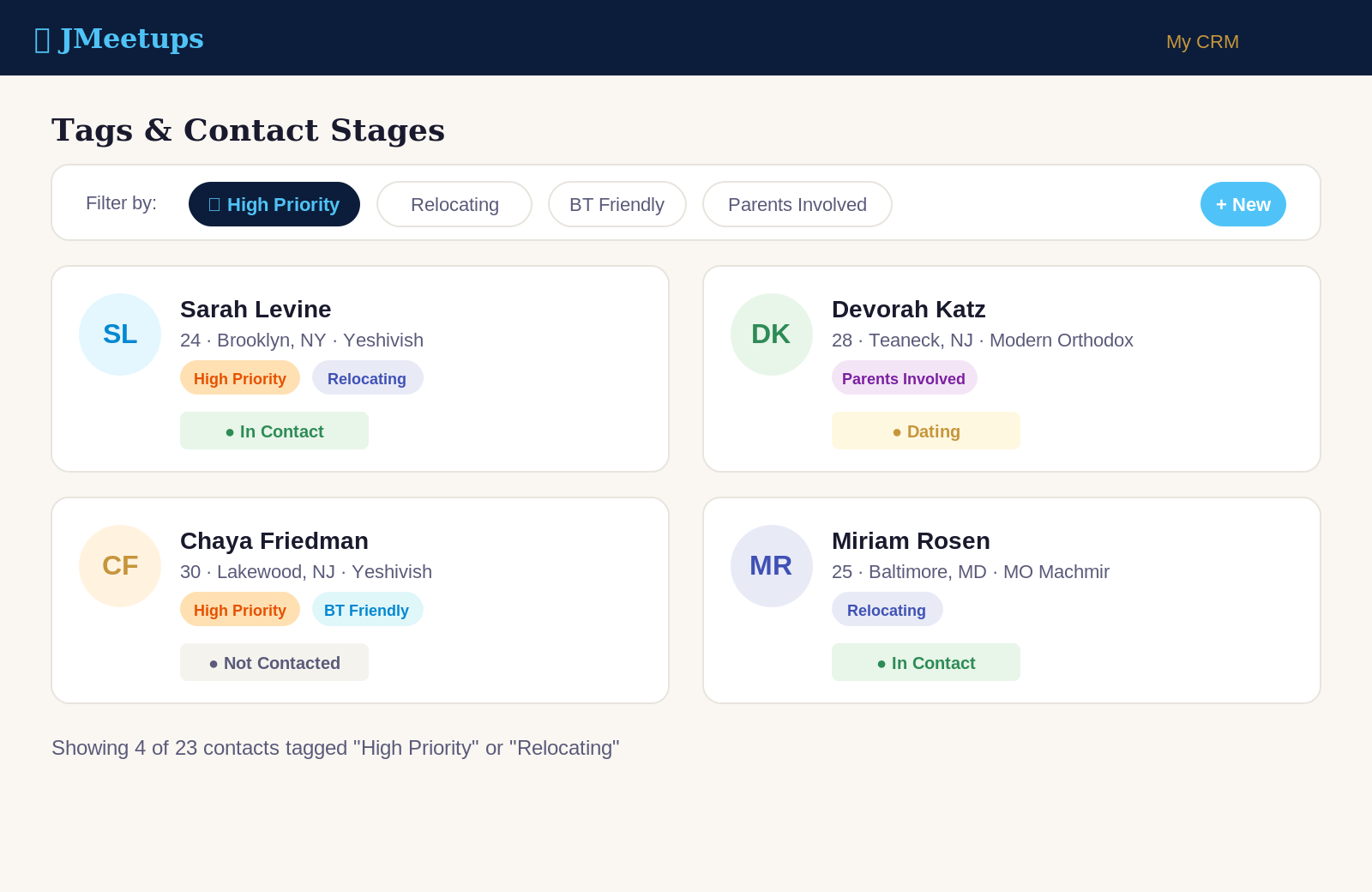
Create your own color-coded tags — "Baal Teshuva friendly," "Relocating," "Parents involved," "High priority" — whatever categories matter in your matchmaking. Tag contacts individually or in bulk, then filter your entire database by any combination of tags. Track each single's stage too — Not Contacted, In Contact, Dating, Engaged, Married — so you always know where everyone stands.
AI Smart Search — Find Who You Need in Plain English
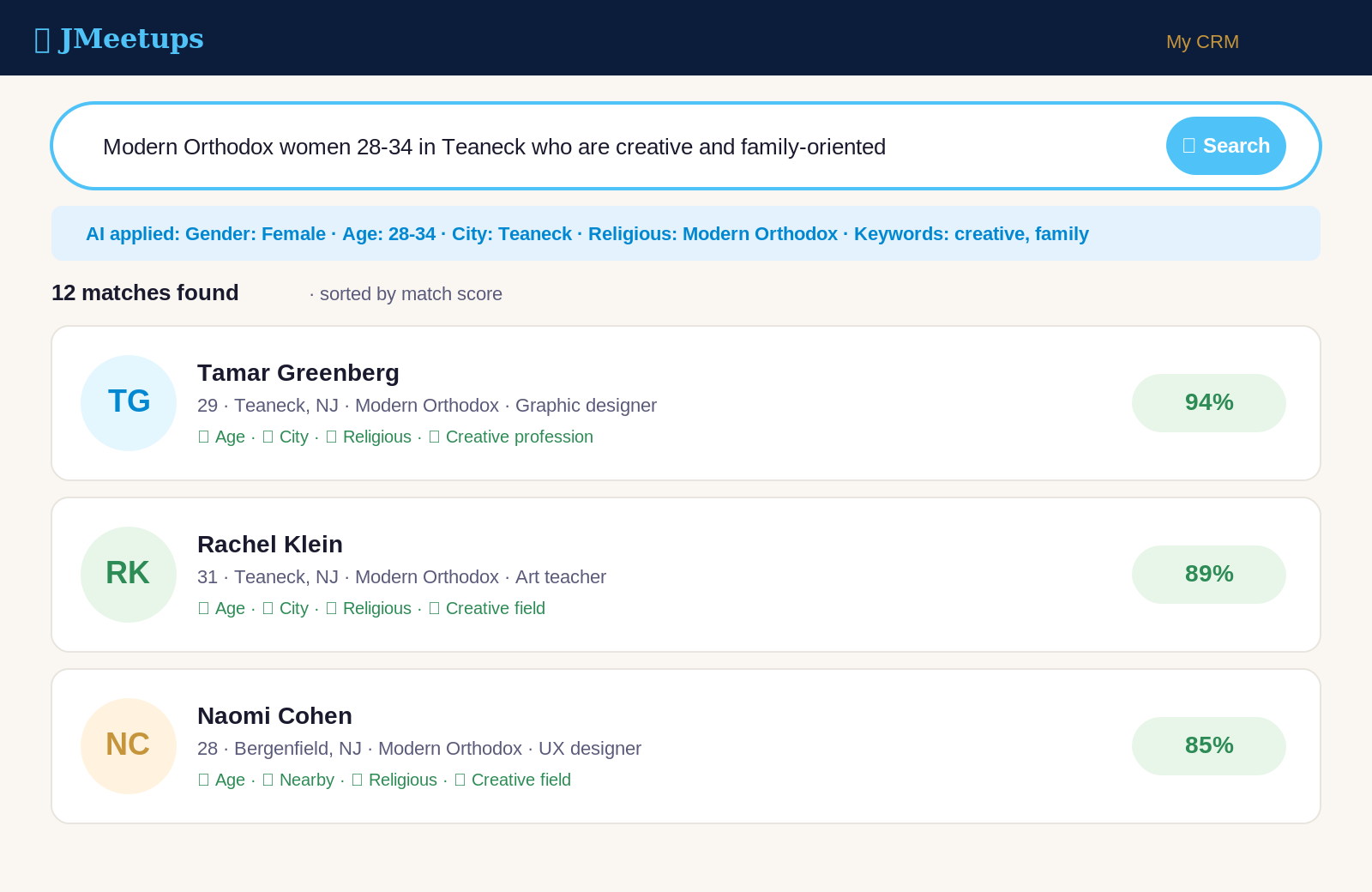
Type what you're looking for the way you'd say it: "Modern Orthodox women 28-34 in Teaneck who are creative and family-oriented." Our AI understands matchmaker language and returns real matches — not keyword hits. Searches across your own database and, if you choose, the JMeetups community.
Find Similar — One Click to a Shortlist
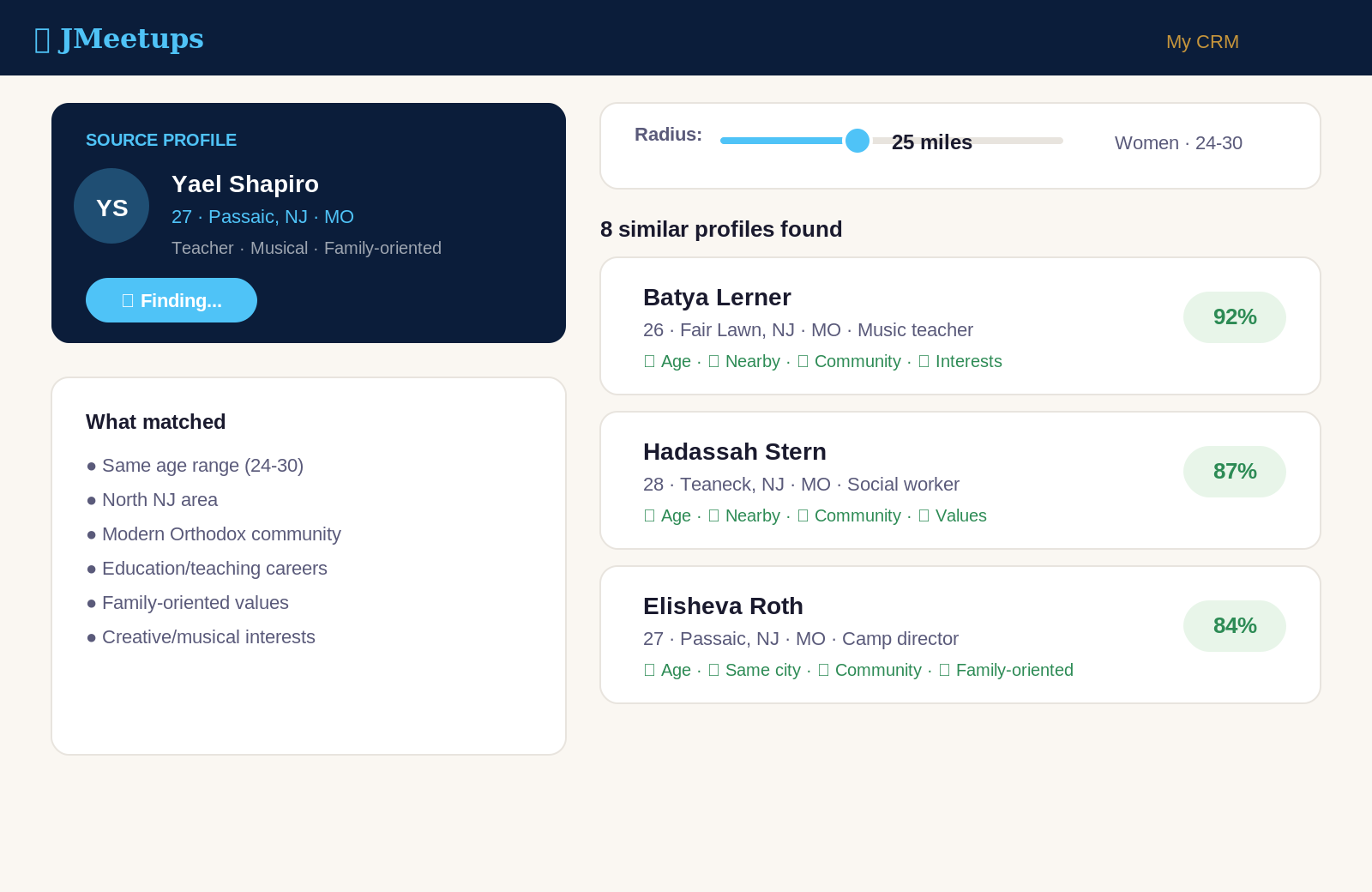
Found a promising profile? Tap "Find Similar" and instantly see comparable singles by age, location, community, values, and style. Set a radius from 5 miles to nationwide. Perfect for when you know someone's "type" but need to see options.
Compare Up to 3 Profiles Side-by-Side
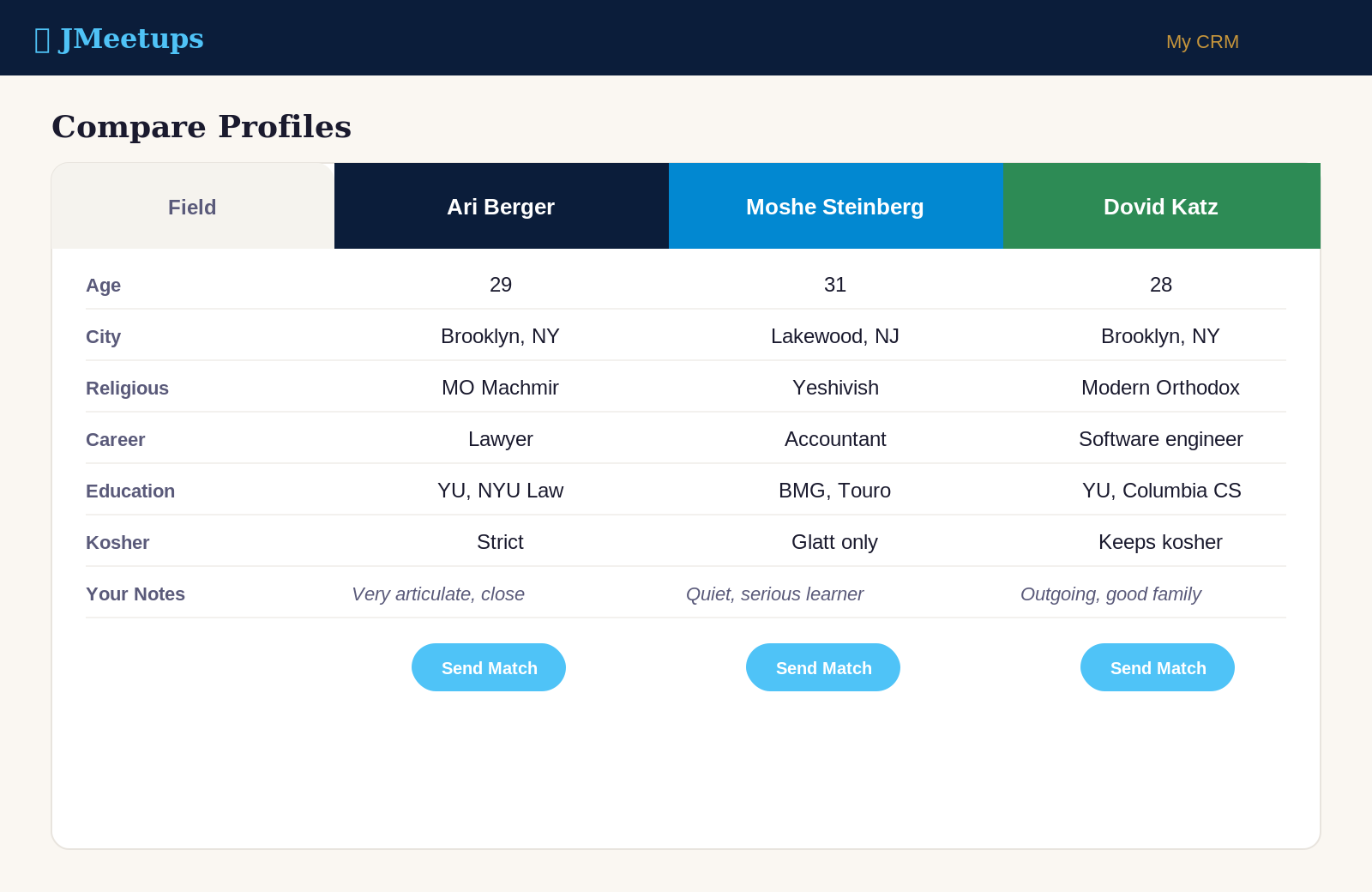
When you're deciding between possible matches, see all three profiles lined up row by row — age, community, career, family, interests, your own notes. Decide faster. Export the comparison to PDF to discuss with a fellow matchmaker.
Send a Match in Three Taps
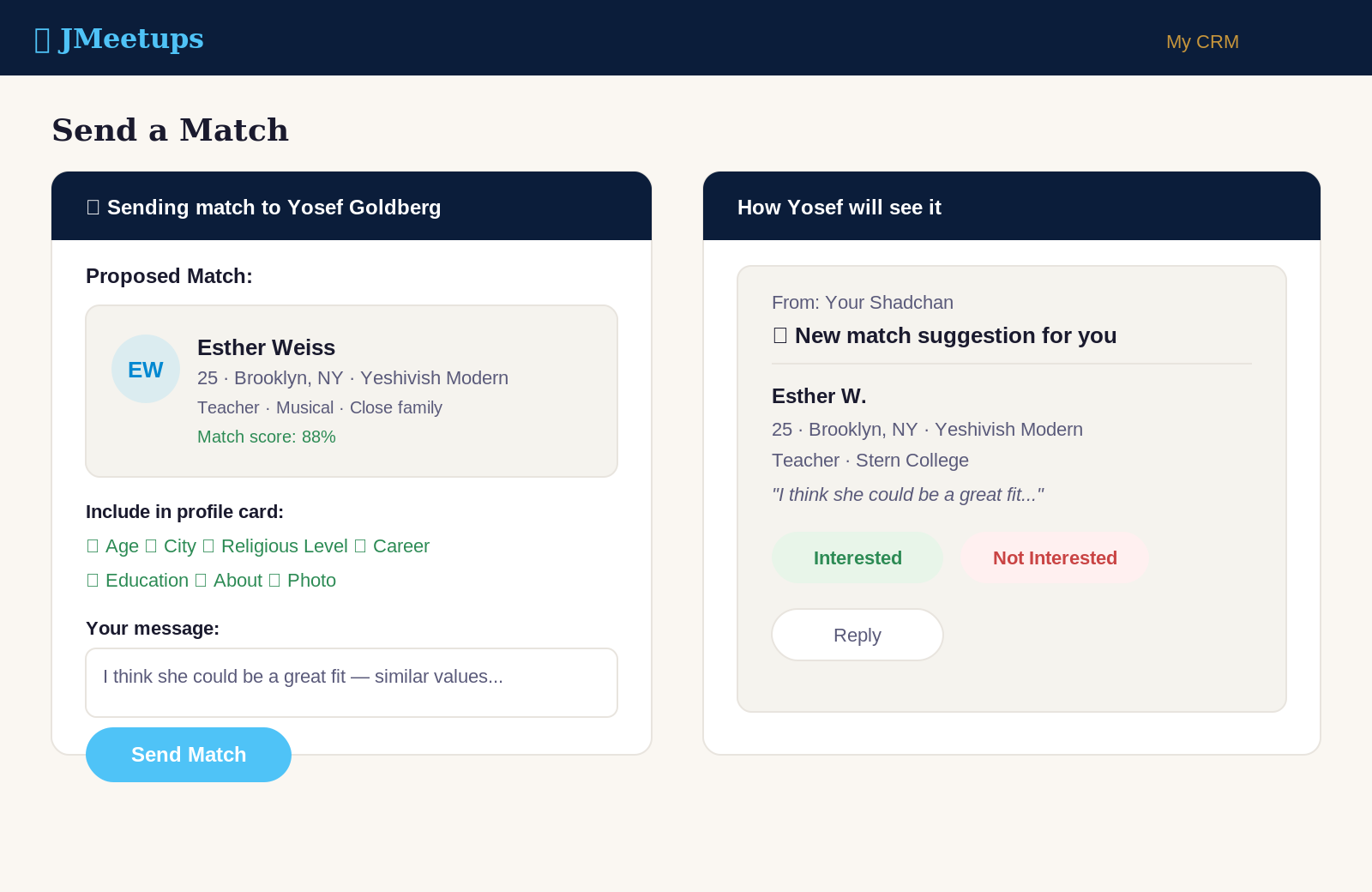
Share a proposed match's profile directly into a message thread with a single. Pick exactly which fields to include. The recipient sees the profile card, can reply through you, and every interaction is logged in their activity history. Track responses — Interested, Not Interested, Awaiting — in a single inbox.
Private Notes, Dating History, and Feedback
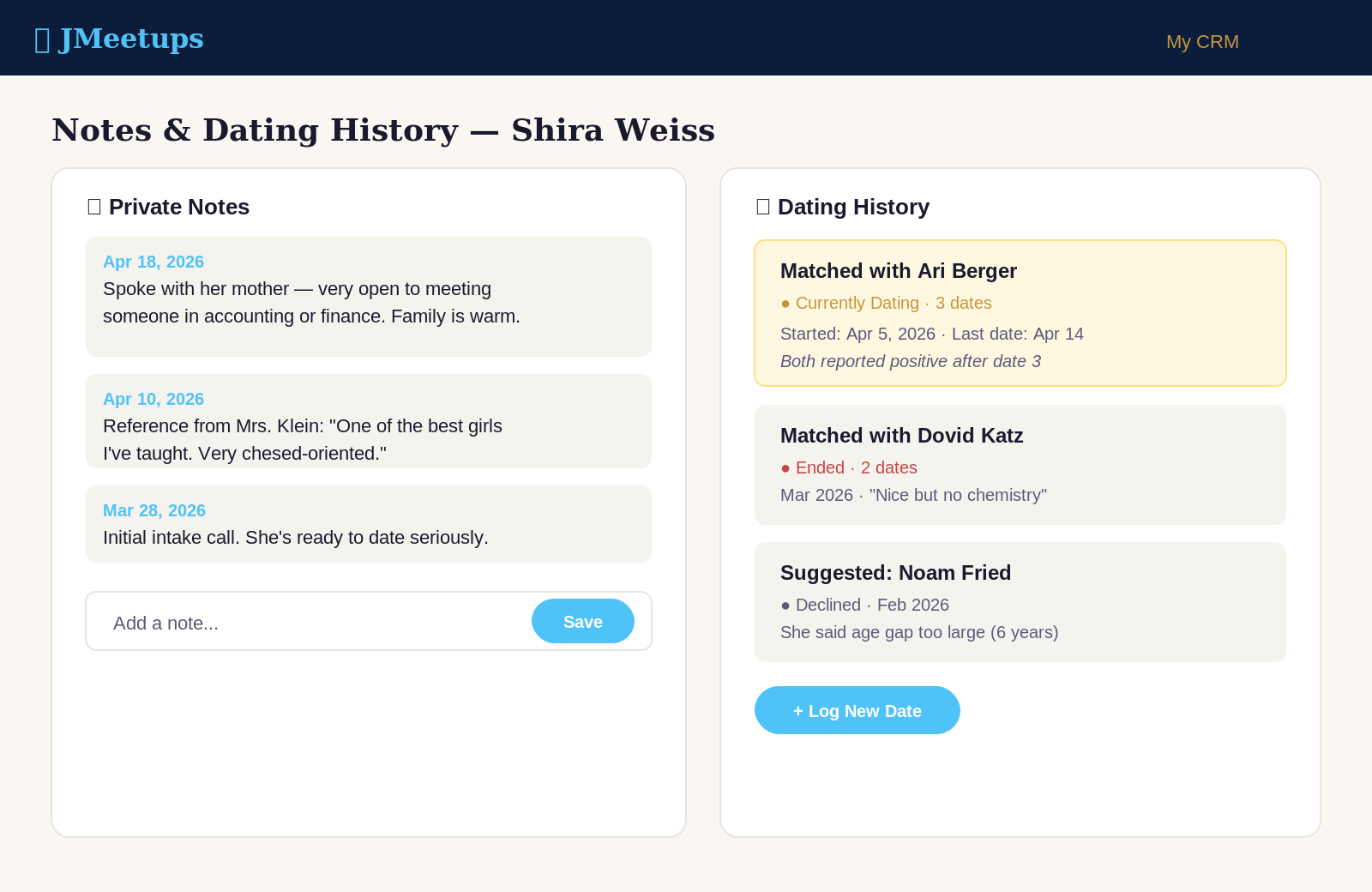
Every conversation, every date, every piece of feedback — all in one place on each profile, only visible to you. Log a date in seconds. Tag it. Add feedback. Never again ask "wait, who did Rachel go out with last month?"
Photos & Attachments on Every Contact
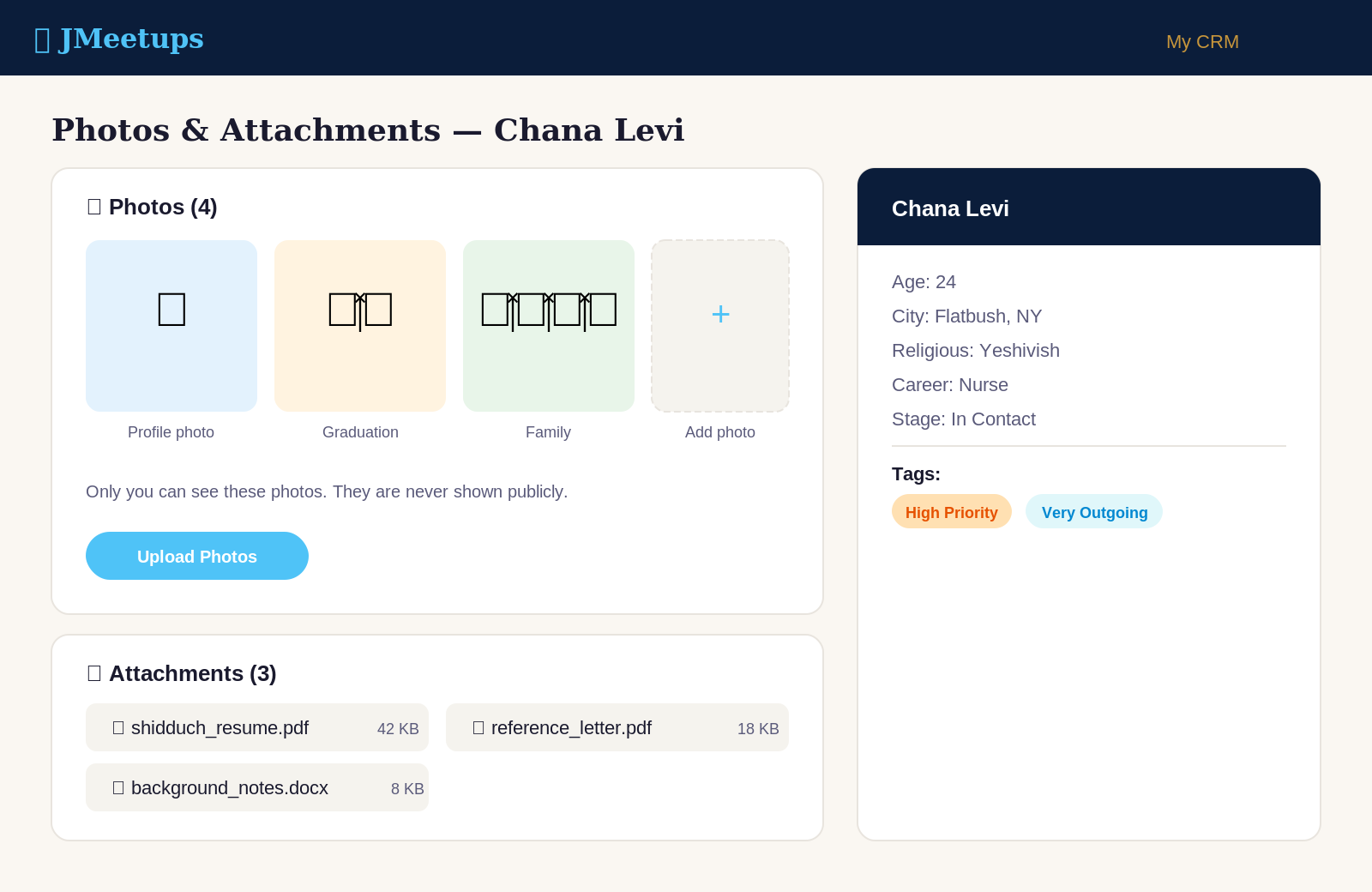
Upload photos, shidduch resumes, and documents directly to each contact's profile. Store multiple photos so you have the right ones ready when a parent asks. Attach reference letters, background notes, or any file you need to keep with a contact. Everything stays private to you and organized in one place.
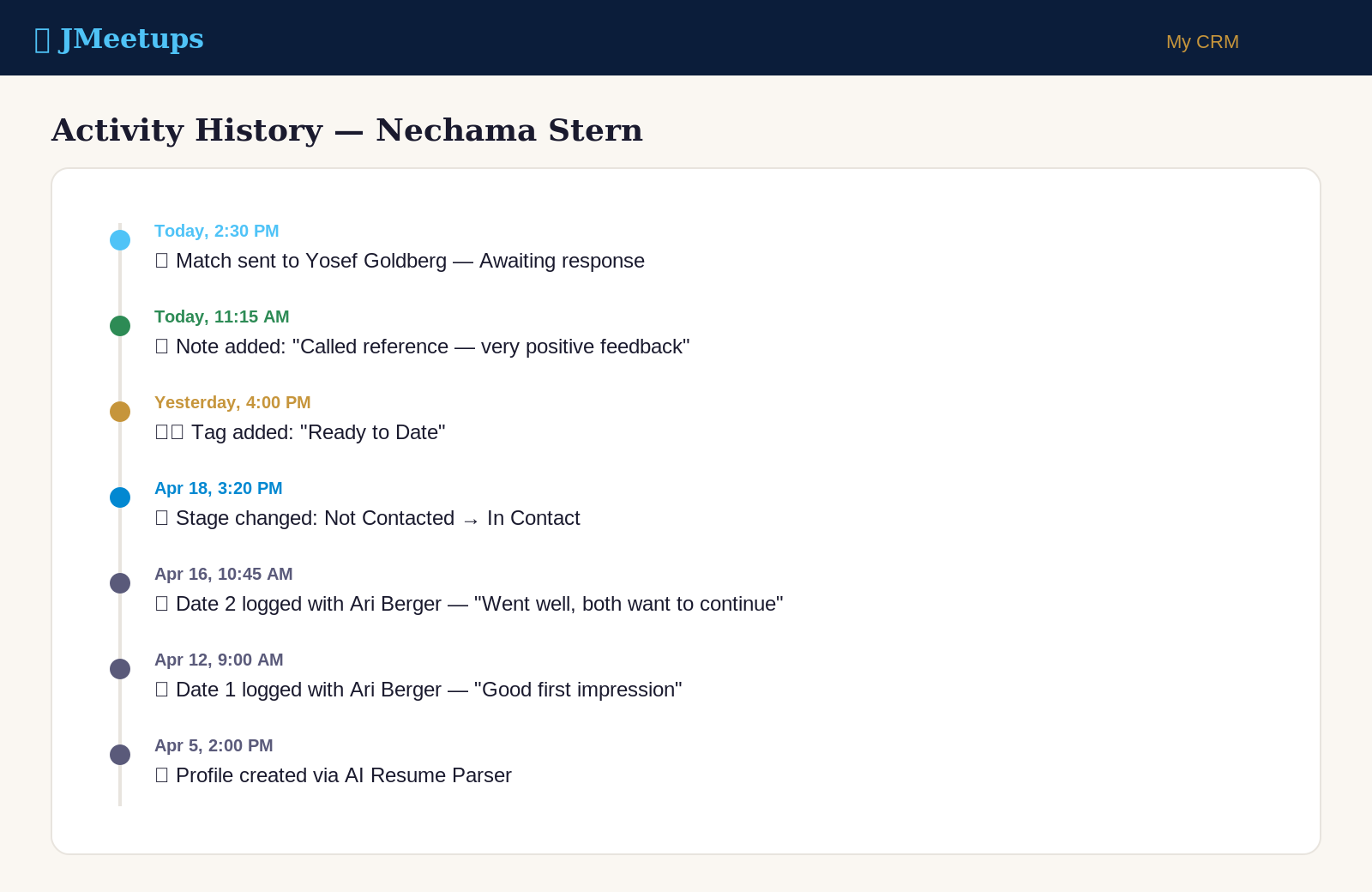
Activity History That Never Forgets
Every status change, note, message, and match sent is logged automatically — timestamped, permanent, always yours. Scroll back through months of work with any single. Never lose context again.
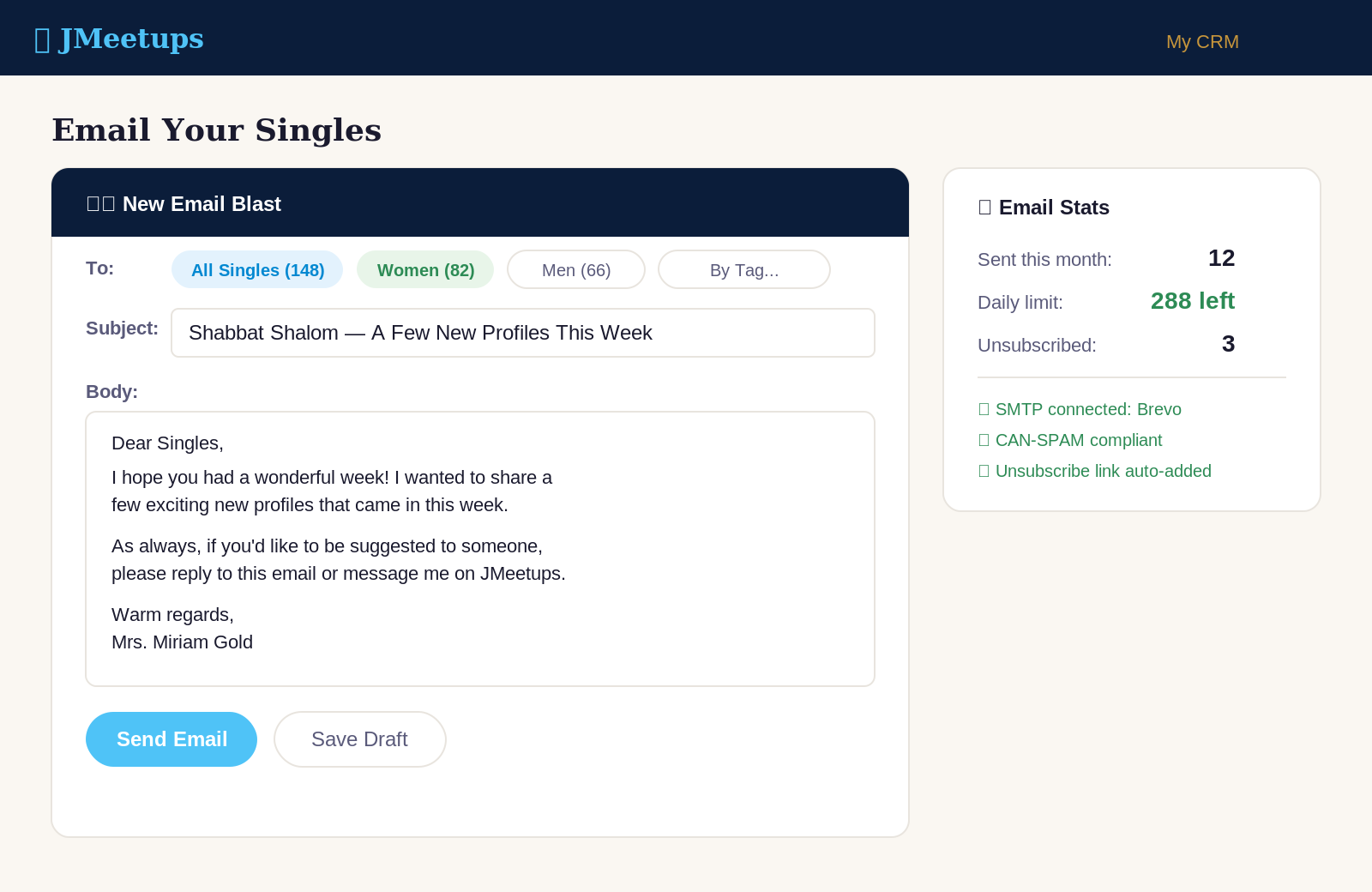
Email Your Singles (Brevo, Mailgun, or Any SMTP)
Connect your own email — Brevo (free up to 300/day), Mailgun, or any SMTP provider — and send updates to singles in your database. Admin-approved for quality. Physical address and unsubscribe handled automatically for you (CAN-SPAM compliance baked in).
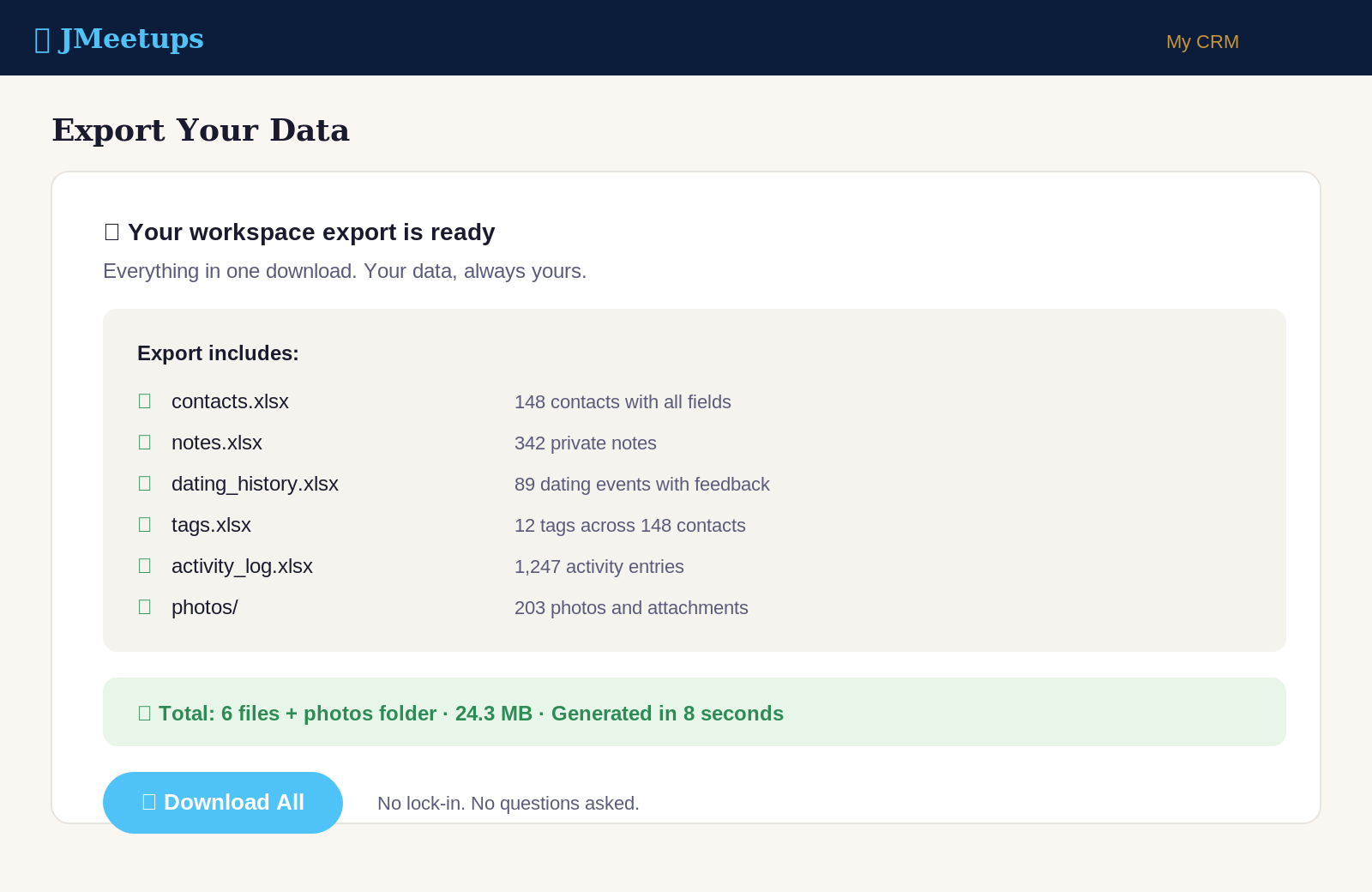
Your Data, Always Yours
Your entire workspace can be exported anytime to Excel plus a folder of all photos and attachments. Switch platforms? Back up your work? Your call, any time, one click. Because it's your work.
How It Works
Sign Up as a Matchmaker
Tell us who you are and about your work. Takes two minutes.
Get Approved
We review each application personally - usually within 1-2 business days.
Import Your Database
Upload an Excel or drop in shidduch resumes - our AI does the rest.
Match, Track, and Grow
Use the full CRM to manage your shidduch work from anywhere.
Your Data is Private by Code, Not Just by Policy
We enforce data isolation at the code level. Every matchmaker's data is automatically separated from every other matchmaker's data. This isn't a pinky promise or a policy — it's baked into the software architecture and tested on every release. You can build your shidduch work knowing your singles' information and your strategy are yours alone.
What stays private to only you
- Your private contacts and imported database
- All notes, feedback, and dating history
- Tags, stages, and contact status
- Uploaded photos and documents
- Email and phone numbers you've added
- Tags and categories you create
What JMeetups staff cannot see
- Your private contact database
- Your notes about any single
- Your tags, categories, or strategy
- Who you've paired or contacted
- Your match outcomes or feedback
- Your personal activity log
Your rights
- Export all your data anytime - Excel + attachments
- Delete your workspace and remove all your data
- Control who can see shared profiles
- Change your privacy settings anytime
- Request deletion of data from our backups
- Full transparency about how we use your data
Frequently Asked Questions
Is the JMeetups Matchmaker CRM really free?
Can I import my existing list of singles from Excel?
Can I upload shidduch resumes directly?
Who can see the private notes I write about a single?
If I import my contacts, do they appear on the public JMeetups site?
What is the AI Smart Search and how is it different from a keyword search?
What is Find Similar and when do I use it?
Can I compare multiple profiles side-by-side?
How do I send a match suggestion?
What happens when a single deletes their JMeetups account?
Can other matchmakers see the singles in my database?
Can I email my singles through the platform?
Do I need to be tech-savvy to use it?
Does it work on my phone?
How do I get approved as a matchmaker?
What if I want to leave the platform?
Is my data backed up?
Ready to Focus on Shidduchim, Not Paperwork?
Sign up in under two minutes. We'll review your application and get you started — usually within one business day.
Sign Up Free as a Matchmaker →Already have a JMeetups account? Apply to become a matchmaker.